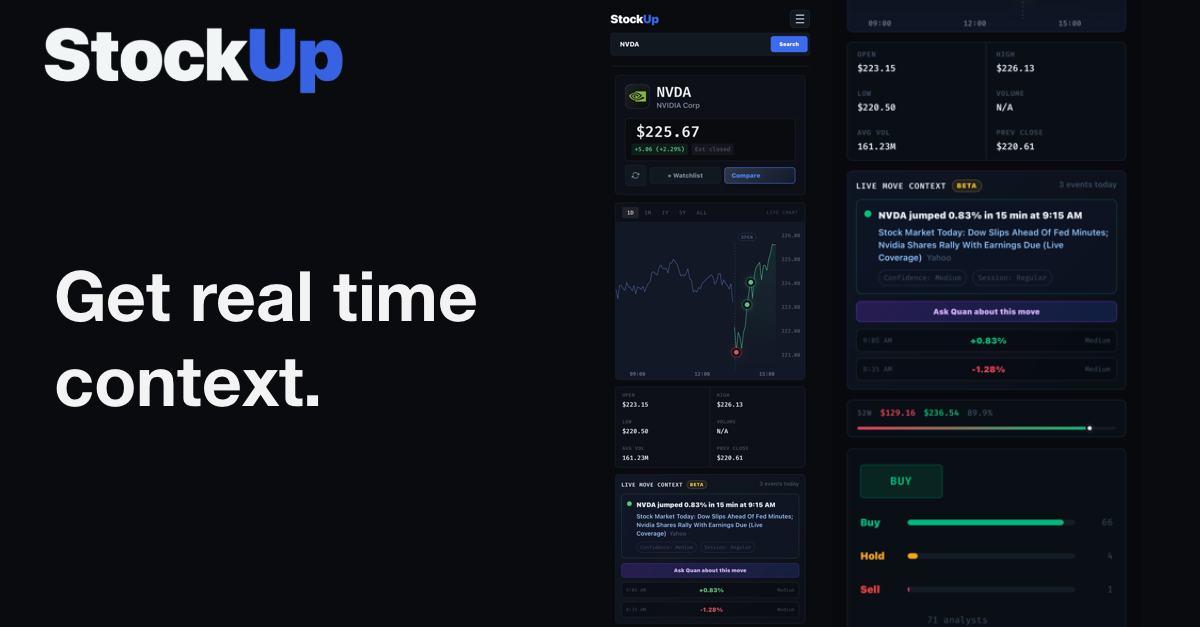
We’ve all been there. You’re watching a chart, and suddenly, a massive red or green candle appears out of nowhere. The price spikes or drops violently in a matter of minutes. What usually follows is a frantic scramble—opening up Twitter, checking news aggregators, and digging through company filings to figure out exactly what just happened.
By the time you finally find the answer, the move is usually over.
Today, we’re fixing that. We are incredibly excited to introduce Live Move Context (Beta), a new feature built directly into the StockUp terminal that automatically detects, tags, and explains sudden price action the moment it happens.
Focusing on the Moves That Matter
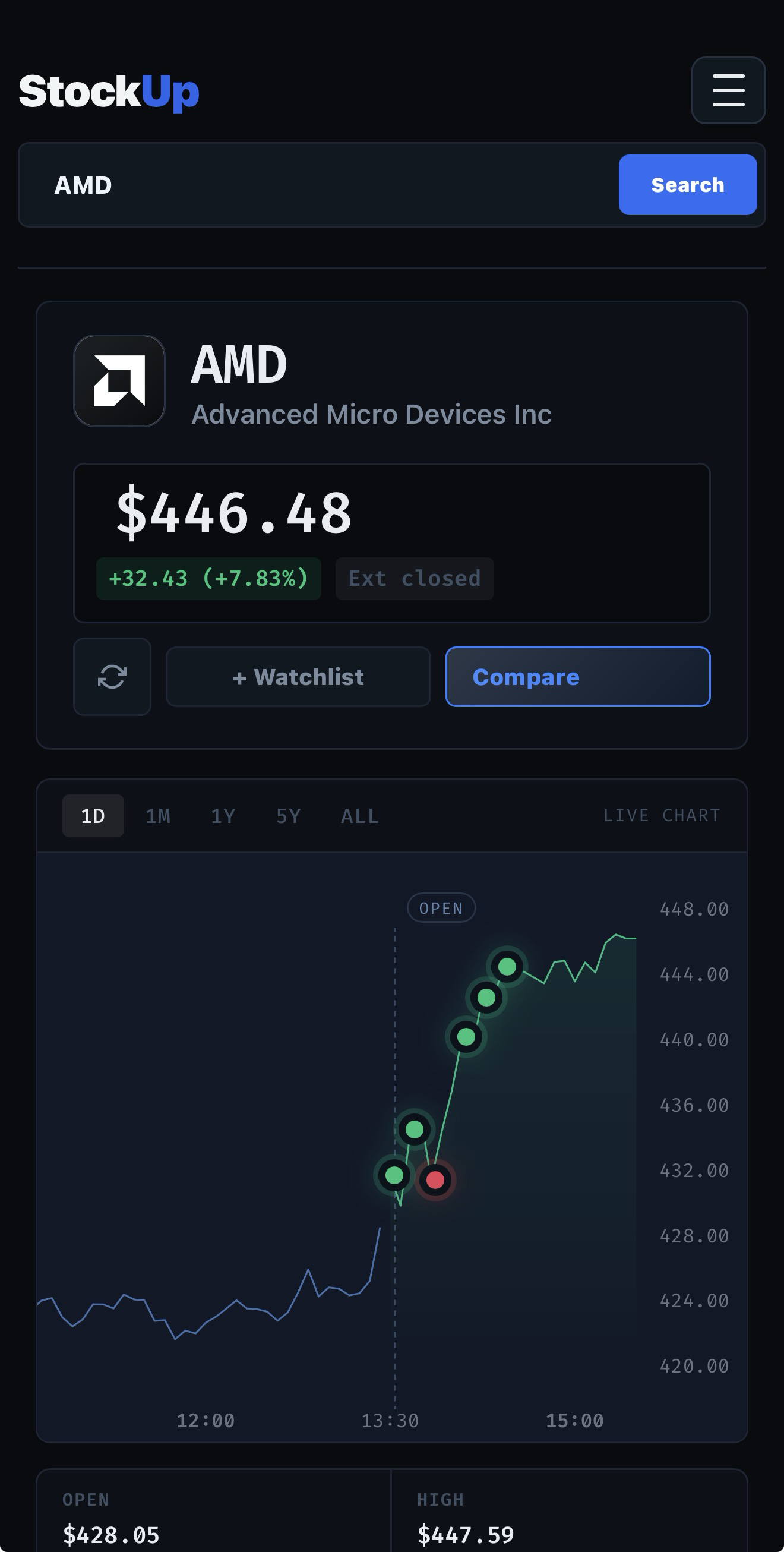
We know how annoying alert fatigue can be, so we aren't here to explain every random market wiggle. Live Move Context is specifically designed to catch significant volatility. The system quietly watches for sharp, sudden price movements (specifically, shifts of 0.75% or more within a tight window like 2, 5, or 15 minutes).
When a meaningful move happens, a pinpoint Red or Green marker instantly drops onto your chart. Right beneath it, a new context panel appears, giving you a plain-English breakdown of exactly what’s going on.
Finding the "Why" in Real Time
How do we know why a stock just tanked or rallied? The second a sudden move triggers, our servers instantly scan a massive network of live data—from breaking news feeds to real-time SEC EDGAR filings.
The engine looks for the specific catalysts driving the action (like an earnings beat, a surprise downgrade, or a new lawsuit) and scores the likelihood that it caused the move. To keep things transparent, we assign a Confidence Label to every explanation:
- High: A definitive match, like a major headline dropping at the exact minute the stock spiked.
- Medium/Low: Plausible industry chatter or macro news that likely influenced the price.
- Technical-only: If there’s no fresh news, we won’t invent a story. We’ll just tell you it looks like a purely technical move.
Always On, Even When You Aren't
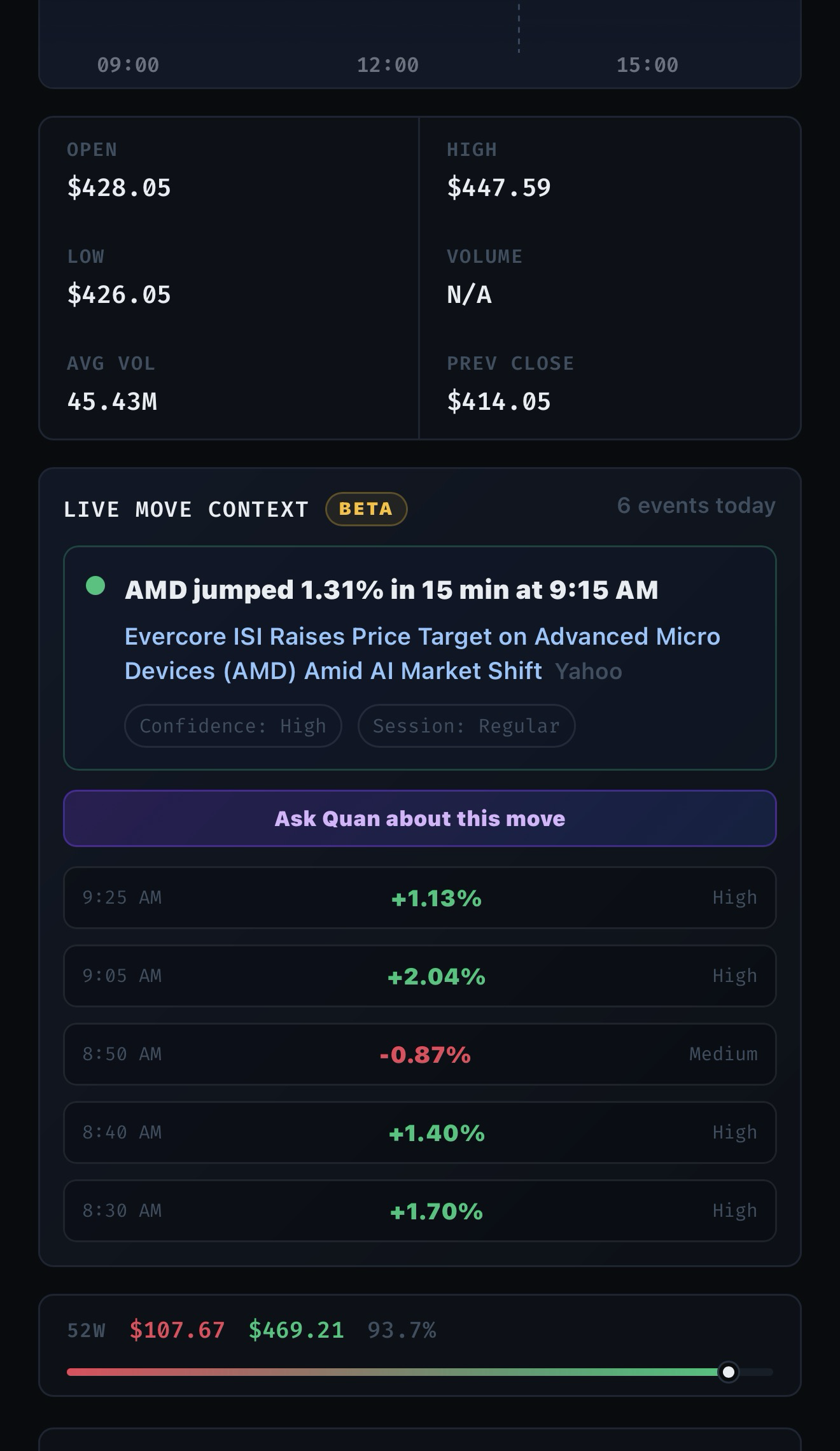
The market doesn't sleep at the closing bell, and neither does StockUp. Whether a stock gaps down in the Premarket or spikes in After-Hours trading, the terminal captures and labels the event. Even better, your timeline is saved to your device for the day. If you step away for a few hours, your chart will still show you exactly what drove the morning action when you get back.
Take a Deeper Dive with Quan
Sometimes, a single headline just doesn't paint the whole picture. That’s why we’ve integrated this feature directly with our AI assistant. Every Live Move card includes an "Ask Quan about this move" button.
With one click, StockUp sends the exact timestamp, the price shift, the news catalyst, and the surrounding chart data straight to Quan. Quan will then generate a deep dive into the event, helping you understand if the market is overreacting or if it's the start of a broader trend.
Live Move Context is rolling out now with a Beta badge while we continue to fine-tune the engine. Stop scrambling for answers while the market moves without you. Open StockUp today, pull up a volatile ticker, and let the answers come to you.